Legacy System Documentation – The Key to Safe Decisions
In many organizations, legacy system documentation is treated as a secondary concern. “The system works”. “People know how it operates”. “We’ll document it someday”. The problem is that a lack of documentation is not neutral. In reality, it actively increases risk – especially in the context of system modernization or replacement.
Research on IT projects is clear: the biggest failures rarely result from technology itself. They result from a lack of understanding of the system. And understanding a system without documentation is largely an illusion.
Documentation ≠ a description of "how the system was supposed to work"
A common mistake is confusing documentation with an architectural presentation created years ago, a business description detached from the code, or diagrams that were never updated.
In legacy systems, the real logic lives in the code. Processes evolve faster than documents, and business exceptions appear as reactions to real situations. That is why legacy code documentation that is not derived from the actual code quickly becomes unreliable.
What happens when documentation is missing?
Studies of large IT projects show a recurring pattern of four major problems.
Poor strategic decisions
Organizations decide to launch a big-bang replacement, a full system rewrite, or radical modernization without knowing: how large the system actually is, how strongly it is connected to other solutions, how much business logic it contains, which elements are truly critical.
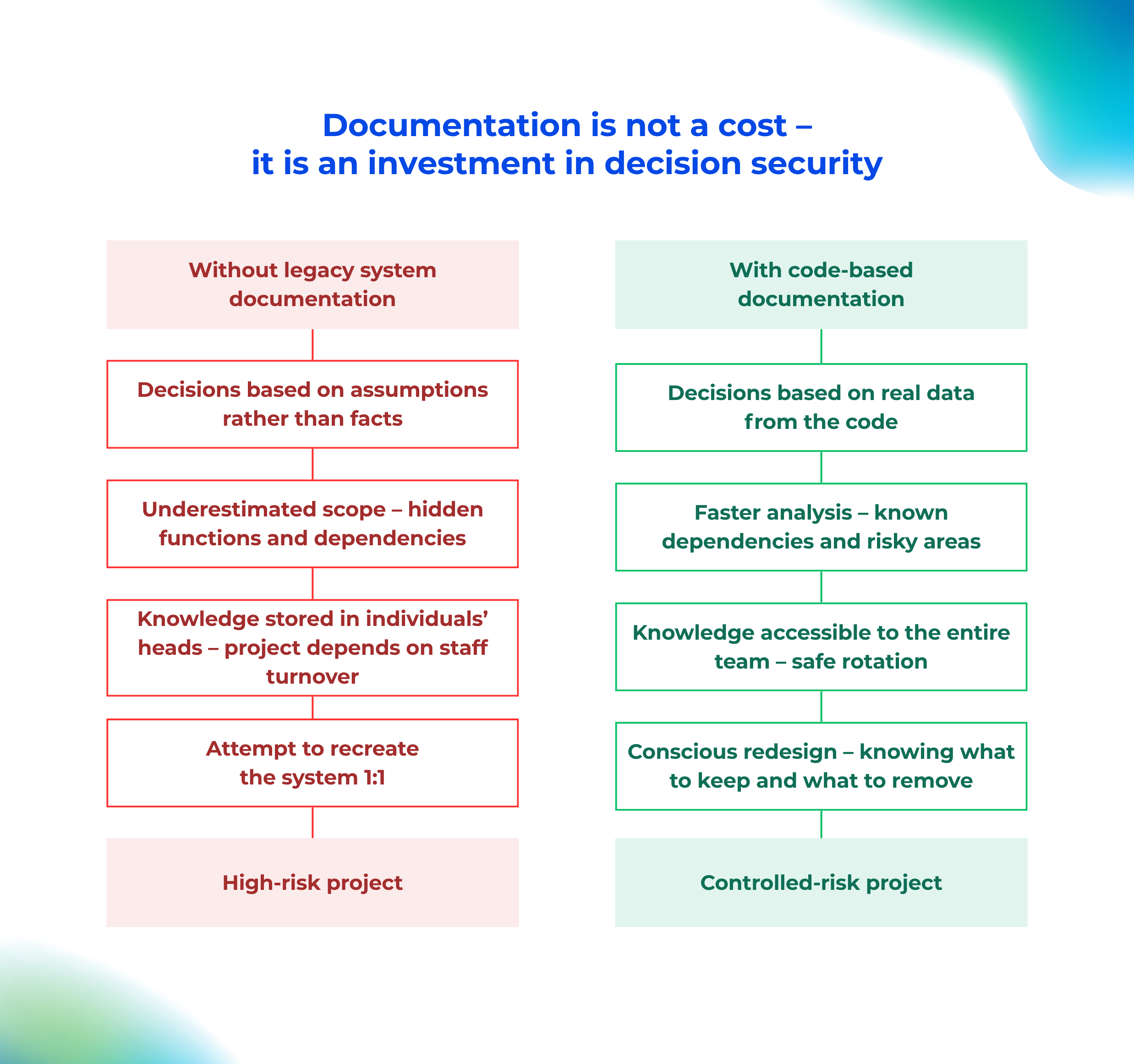
Without documentation, decisions are based on assumptions rather than facts.
Underestimating scope and costs
The absence of documentation leads to hidden functions being overlooked, dependencies between modules being ignored, and business exceptions being missed. This is exactly the mechanism that research shows leads to budget overruns, delays, and failure to deliver expected business value.
Dependency on individuals
When knowledge about legacy systems exists mainly in the heads of a few people, teams become afraid of making changes. Onboarding new developers takes months, and staff turnover increases costs while reducing decision quality.
Attempting to rebuild the old system “blindly”
As a result, without documentation, replacement projects often end with mechanical copying of old system behaviors – creating a “new legacy” system built on modern technology.
This is one of the most common reasons replacement projects fail.
Legacy system documentation as a risk management tool
From a business perspective, legacy system documentation plays three critical roles.
First: it reduces decision risk
Good documentation makes it possible to realistically assess the scale of the problem, select the right modernization strategy, and avoid risky big-bang approaches where they are inappropriate.
Second: it shortens analysis and design time
Instead of manually reviewing code and reconstructing the system step by step, teams gain structured knowledge, clear dependencies, and a shared reference point.
Third: it reduces dependency on individuals
Documentation scales knowledge, stabilizes teams, and allows safe staff rotation. This is especially critical in long-running modernization or replacement projects.
Why “traditional” documentation is not enough
In legacy systems, the issue is often not the lack of documents – it is that documents quickly become outdated, nobody trusts them, and they do not answer the real questions developers ask.
That is why modern approaches to documentation before system modernization increasingly rely on documentation generated directly from code. Such documentation evolves together with the system and allows teams to ask questions instead of manually searching through files.
The key takeaway
Legacy systems rarely become problematic simply because they are old. They become problematic when organizations stop understanding them and lose the ability to change them. Replacing a system that no one truly understands is a high-risk project with statistically low chances of success – and it often ends with yet another legacy system.
That is why documentation should not be treated as a cost. In reality, it is an investment in safe decision-making and the first step toward effective modernization.
Legacy Documentation Automation
Knowledge about your
system architecture can update itself
Wiedza o architekturze systemu może aktualizować się sama
Instead of manually rewriting code structures and wasting time in Confluence, implement S*.doc.
Our AI agents automatically map your application architecture, while your team gets a RAG bot integrated with Microsoft Teams that can answer any question about the system directly from the source code.
Automatic generation of Java/C# documentation
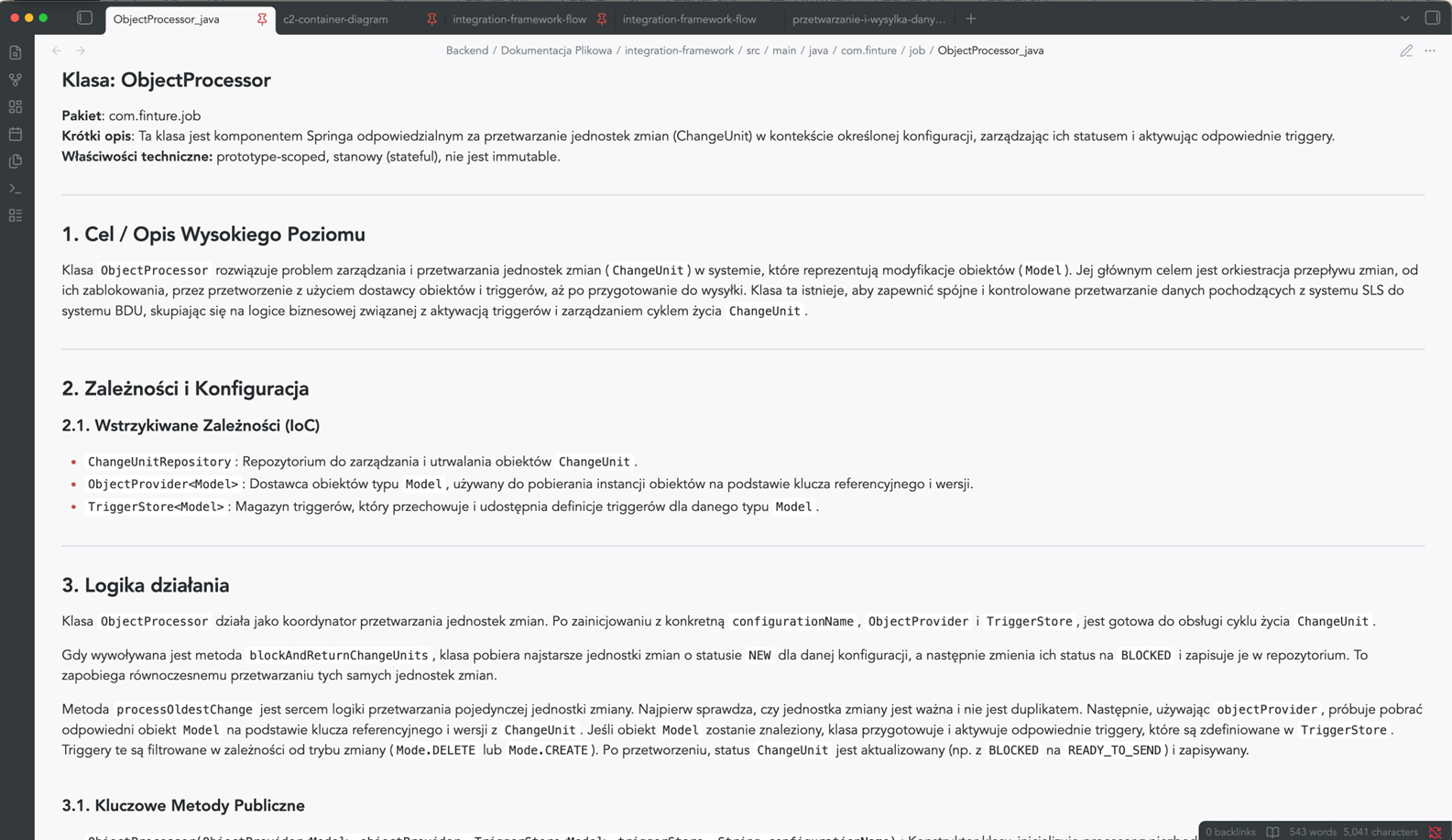
Code documentation
Generated automatically, taking into account the specific features of the programming language – Java, C#, TypeScript, C++. It divides the content into logical sections, omits irrelevant elements and allows you to tailor the type of documentation to the audience: technical for developers or simplified for end users.
- A clear, structured description of each module
- Automatic skipping of boilerplate and generated code
- The ability to generate a report on compliance with safety guidelines or a report on technological optimisation
Architectural visualisation of C4 & Mermaid
Architectural documentation in accordance with the C4 model
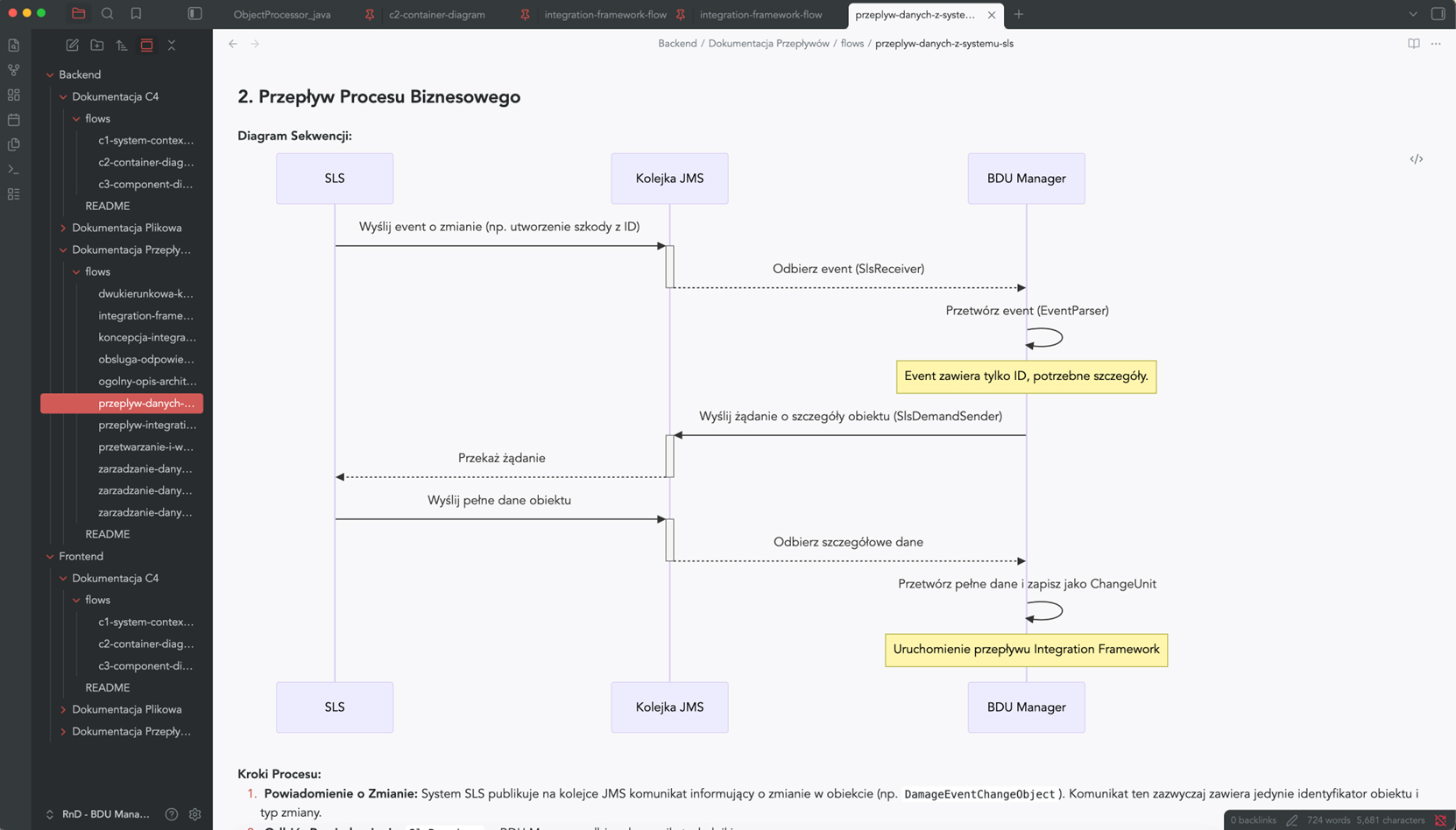
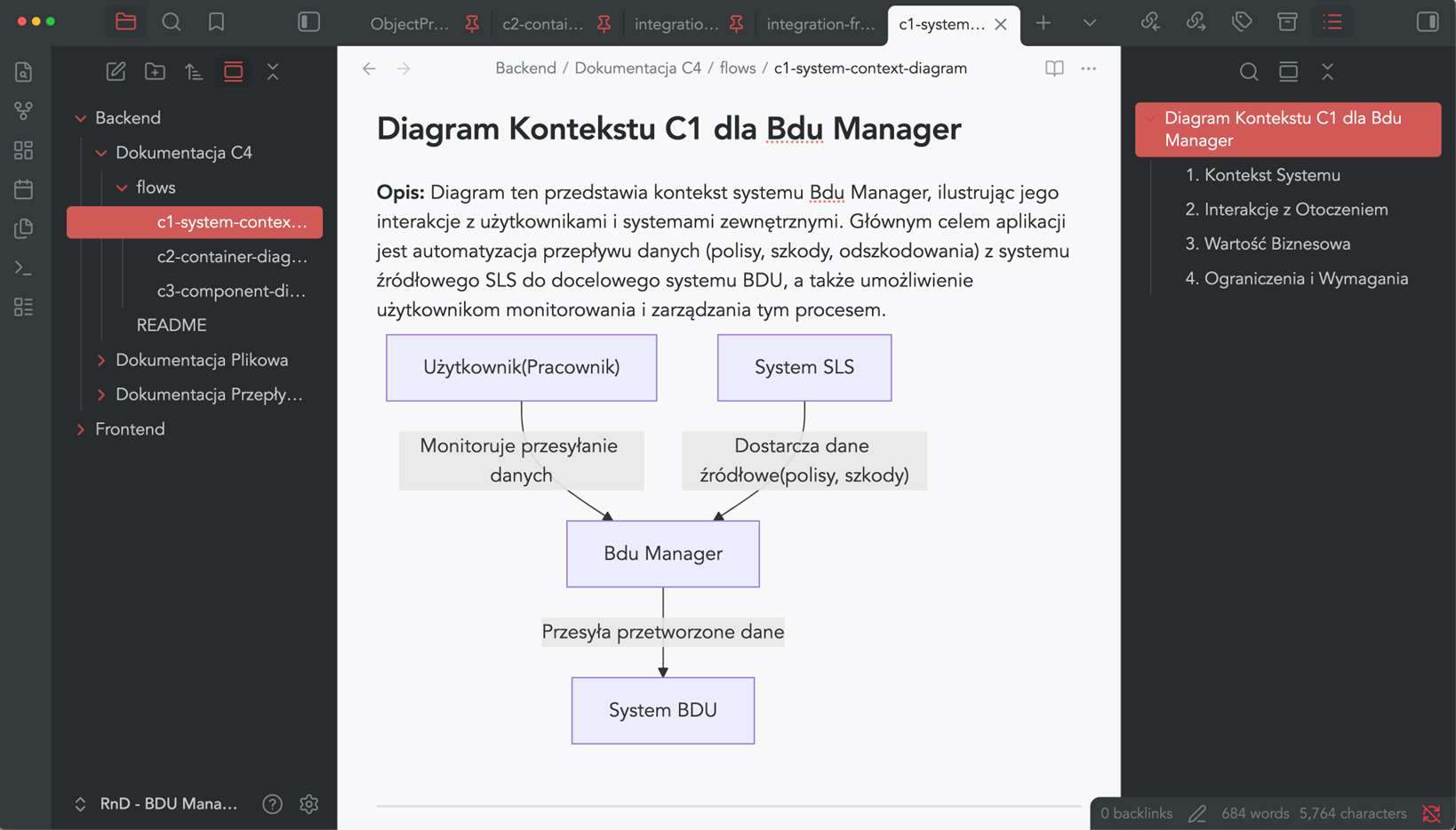
S*.doc automatically generates Mermaid diagrams for the context, container and component views – in accordance with the widely recognised C4 model.
So, no more manually drawing diagrams that become outdated after the first sprint.
- Consistent visual representation of the architecture at various levels of detail
- A clear presentation for the board, auditors and new team members
Business Process Mapping (BPM)
Business process documentation
S*.doc models the flows within the system and how its components interact – process steps, interdependencies between components, and data exchange points.
Instead of asking, “How does it work with other things?” – you can check it out in 30 seconds.
- Visualisation of user journeys and communication between services
- A description of the internal logic in language that is understandable to both business and technical staff
- Support for retrospective code reviews and dependency analysis