Modernization vs Replacement of a Legacy System – How to Decide?
When the discussion about legacy systems matures, sooner or later the key question arises: should the existing system be modernized, or should it be replaced with a new one? The decision between modernization and replacement of a legacy system is one of the most risky questions an organization can ask – not because there is no answer, but because it is often asked too early.
A wrong decision at this stage may result in a multi-year project with no expected results, increased operational risk, frustrated teams, and sometimes even a return to the starting point.
Why this is not a technology decision
The first mistake is treating the modernization vs replacement dilemma as purely an IT problem. In reality, it is primarily a business decision.
A legacy system rarely exists in isolation. In most organizations it is deeply intertwined with business processes, connected to historical data, embedded in organizational structures, and dependent on the expertise of specific people. Only at the very end does it become a technological issue.
When modernization makes sense
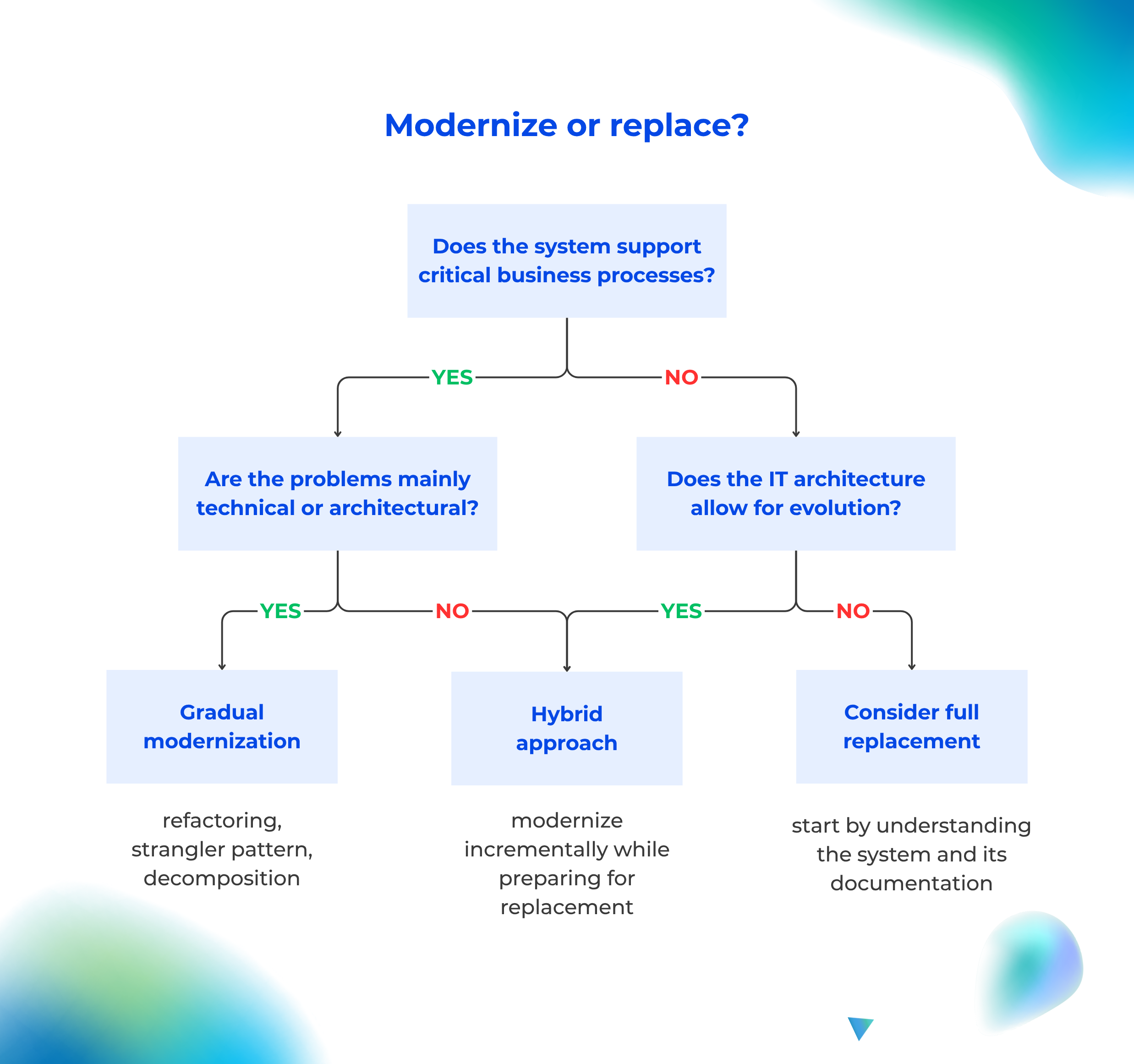
Modernization is usually the better choice when the system still effectively supports key business processes, the main issues concern technology or architecture, and the organization cannot afford operational downtime.
Typical signals that indicate modernization:
- the system works, but development is difficult,
- every change is painful but still possible,
- the biggest problems are the time and cost of implementing changes.
In this context, it is worth mentioning the Metrics-Driven Architecture (MDA) approach. In legacy systems where documentation is incomplete, MDA enables organizations to move from a “don’t touch it – it works” mindset toward modernization based on data rather than intuition. Technical metrics (response time, error rate, uptime) and business metrics (time-to-market, maintenance costs, real usage of modules) transform emotional statements like “this system cannot be developed anymore” into measurable arguments.
Modernization does not eliminate risk – it optimizes and manages it.
When replacement becomes inevitable
Replacing an IT system becomes justified when the system no longer supports the business model, implementing changes is more expensive than building a new solution, security risks become unacceptable, and the architecture prevents meaningful evolution.
Typical signals that indicate replacement:
- the system can no longer be realistically developed,
- the system forces business compromises,
- every integration becomes a special project.
System replacement should be treated as a transformational initiative, not simply as a “new version of the old system”.
The most common decision traps
Replacement “because it’s modern”
A new technology does not solve poor processes, unclear responsibilities, or chaotic decision-making. The fact that something is new is not a sufficient reason to replace a system.
Modernization without a goal
Modernization without clear metrics and a defined purpose often ends with higher costs, no real business impact, and simply a “nicer legacy system”. The goal should be measurable outcomes – not a vague feeling of improvement.
Rebuilding the old system 1:1
This is the fastest way to replicate old problems, preserve existing limitations, and become disappointed with the new system. Instead of copying features, organizations should understand why the old system worked the way it did.
Five key questions before making a decision
A decision about modernization vs replacement should be fact-based. Before making any plans, organizations should honestly answer five questions:
- What role does the system play in the business today?
- What level of risk are we willing to accept?
- Which problems are technological and which are process-related?
- What truly limits growth – the system or the way we work?
- Is the organization ready for change?
If the answers are unclear, the decision is likely premature.
A hybrid approach to legacy modernization
In practice, many organizations choose a hybrid approach: they gradually modernize parts of the system while simultaneously preparing the ground for its eventual replacement. Typical steps include: extracting selected functions, simplifying processes, inventorying dependencies, reducing reliance on legacy components. This approach reduces risk, gives the organization time to learn, and allows decisions to be made based on facts rather than fear.
The decision you won’t see in the budget
The most expensive decision is often postponing the decision indefinitely. Doing nothing is also a strategy – usually the most risky, the least controlled, and the most expensive in the long run.
Legacy Documentation Automation
Knowledge about your
system architecture can update itself
Wiedza o architekturze systemu może aktualizować się sama
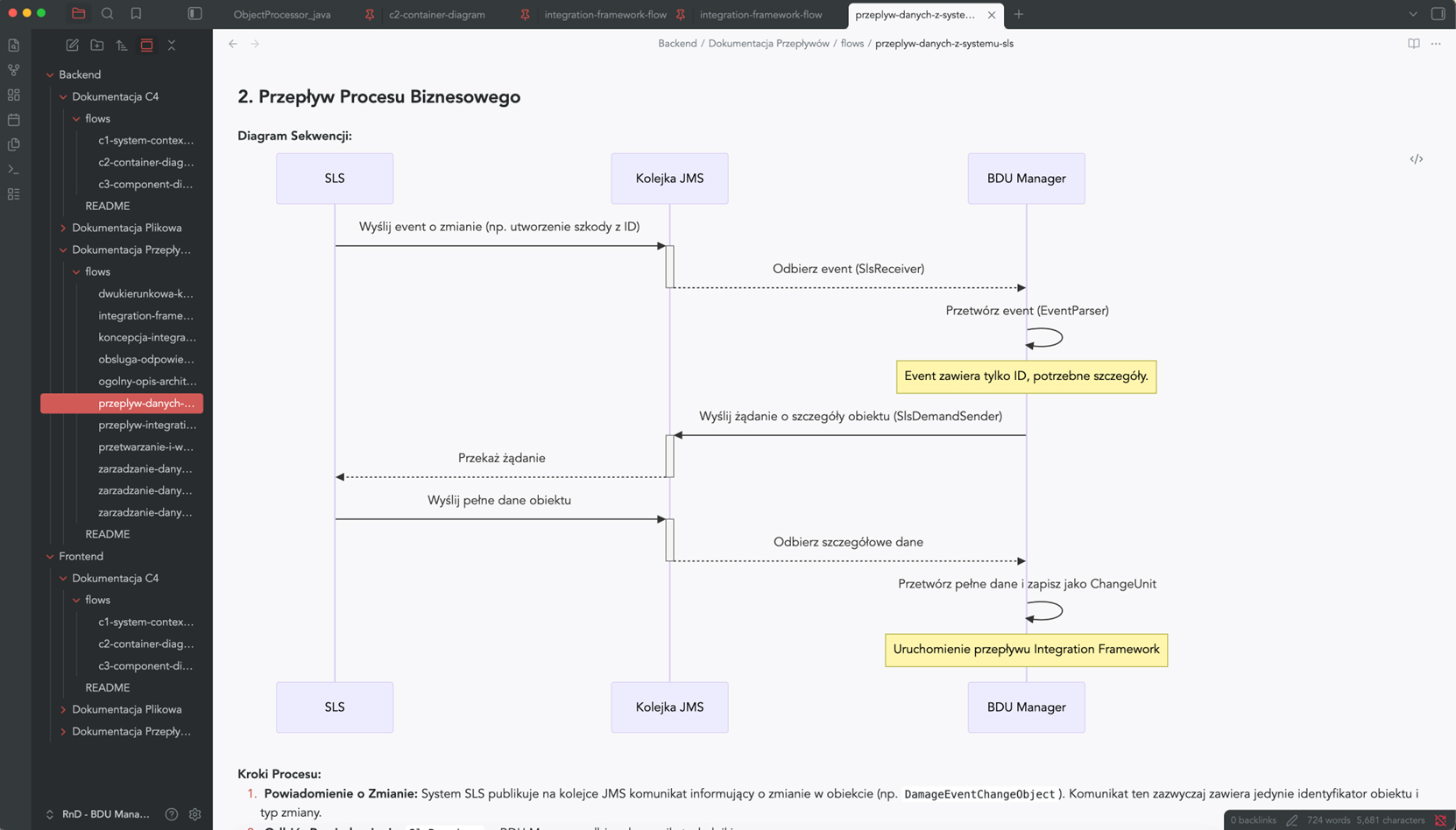
Instead of manually rewriting code structures and wasting time in Confluence, implement S*.doc.
Our AI agents automatically map your application architecture, while your team gets a RAG bot integrated with Microsoft Teams that can answer any question about the system directly from the source code.
Automatic generation of Java/C# documentation
Code documentation
Generated automatically, taking into account the specific features of the programming language – Java, C#, TypeScript, C++. It divides the content into logical sections, omits irrelevant elements and allows you to tailor the type of documentation to the audience: technical for developers or simplified for end users.
- A clear, structured description of each module
- Automatic skipping of boilerplate and generated code
- The ability to generate a report on compliance with safety guidelines or a report on technological optimisation
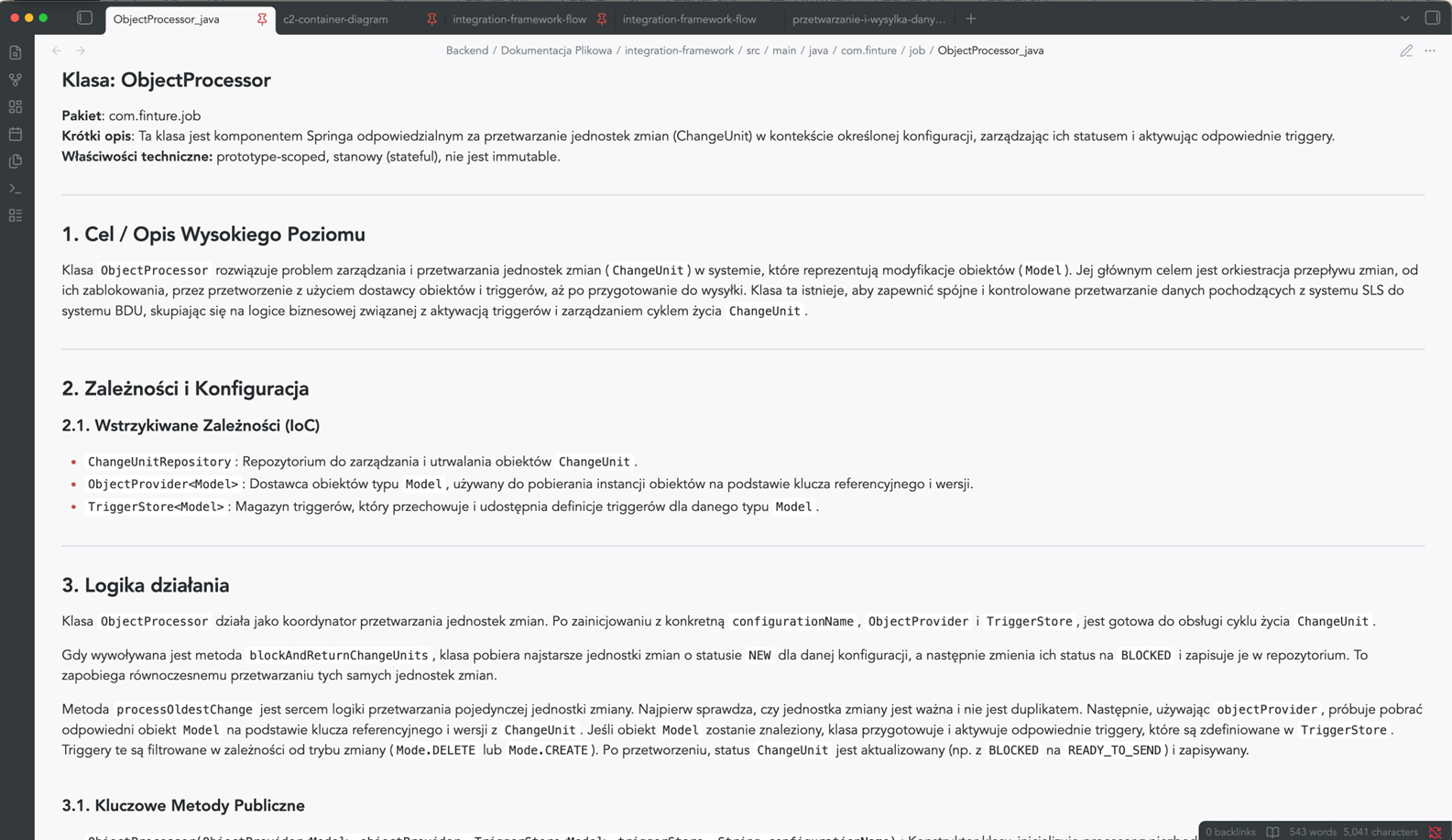
Architectural visualisation of C4 & Mermaid
Architectural documentation in accordance with the C4 model
S*.doc automatically generates Mermaid diagrams for the context, container and component views – in accordance with the widely recognised C4 model.
So, no more manually drawing diagrams that become outdated after the first sprint.
- Consistent visual representation of the architecture at various levels of detail
- A clear presentation for the board, auditors and new team members
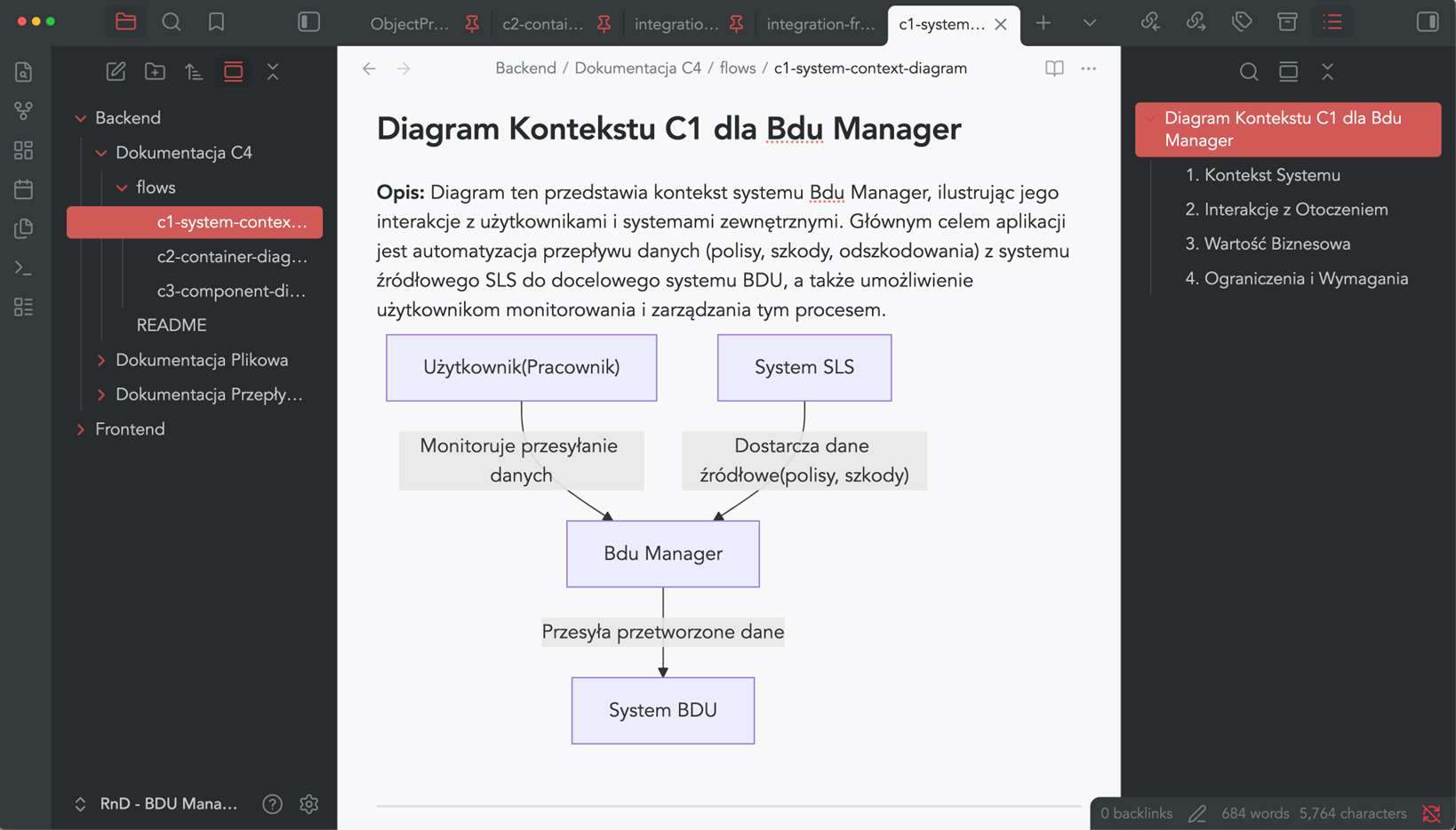
Business Process Mapping (BPM)
Business process documentation
S*.doc models the flows within the system and how its components interact – process steps, interdependencies between components, and data exchange points.
Instead of asking, “How does it work with other things?” – you can check it out in 30 seconds.
- Visualisation of user journeys and communication between services
- A description of the internal logic in language that is understandable to both business and technical staff
- Support for retrospective code reviews and dependency analysis